
Cricket Scoring App: Log Every Ball Fast and Accurately


Key takeaways
- A cricket scoring app records each ball with a single tap and calculates totals, extras and run rates automatically, cutting the math errors common on paper.
- You can set up a match, both squads and the toss in under two minutes, then start scoring the first over immediately.
- Wides, no-balls, byes and run-outs each map to one clear control, so awkward deliveries no longer stall the scorebook.
- Real-time cloud sync pushes the live score to captains, players and viewers the moment you confirm a ball.
- Offline-first scoring keeps working at grounds with no signal and syncs everything once you reconnect.
Every delivery in a cricket match creates a decision for the scorer, and a paper book makes you do the arithmetic by hand while play moves on. A cricket scoring app removes that pressure: you tap the runs, it updates the total, the over, the strike rotation and the run rate in the same instant. This guide walks you through choosing that speed, setting up a match in minutes, and logging the tricky deliveries without breaking stride.
Whether you scorer for a Sunday league side or run a full club tournament, the goal is the same. Get every ball down fast, get it down right, and let the tool carry the math.

Why a cricket scoring app beats a paper scorebook
A paper scorebook asks a lot of one person. You track the ball-by-ball line, the bowling figures, the extras, the fall of wickets and the running total, and you do it while calling the score to the umpires between overs. One missed dot ball or a mis-added over throws the whole card out, and untangling it later can be painful.
A dedicated app changes the workload in a few concrete ways:
- The math is automatic. Runs, extras, overs bowled, wickets and both batters’ scores update the moment you record a ball. Run rate and required rate recalculate on their own.
- Illegal deliveries are handled for you. A wide or no-ball adds the penalty run and does not tick over the legal-ball count, so an over always ends on six legal balls.
- Strike rotation is tracked. Odd runs and end-of-over changes swap the striker automatically, which is one of the most common manual slip-ups.
- The record is auditable. Every ball is time-stamped and stored, so a disputed total can be checked delivery by delivery rather than argued from memory.
The rules themselves are unforgiving, which is exactly why automation helps. The Laws of Cricket are maintained by the Marylebone Cricket Club, the game’s custodian of the Laws, and they define each event precisely. You can read the full framework on the MCC’s overview of the Laws of Cricket. An app encodes those definitions so you apply them the same way every time.
Takeaway: paper still works, but an app moves the counting, the strike swaps and the extras off your shoulders so you can watch the cricket.
Set up a match, squads and toss in under two minutes
Most of the delay in scoring happens before the first ball. Get your setup flow tight and you will be ready by the time the openers walk out. In an app like Mycric, the sequence is short.
- Create the match. Name the two teams, set the format (overs per side), and pick the ground or venue.
- Load the squads. If your players are already saved, add them in a tap each. New players take one short form: name and role. Save them once and they are reusable for every future fixture.
- Record the toss. Choose who won and whether they elected to bat or bowl. The app sets the batting and bowling sides accordingly.
- Pick the openers and the first bowler. Select two batters and the bowler for over one.
- Start scoring. The first ball control is live.
The time saver is the reusable squad. Enter a player once and their profile, stats and history follow them across the season, so setup for your second match onward is close to instant. A tidy setup also means cleaner analytics later, because every run and wicket attaches to the right named player rather than a placeholder.
Takeaway: save your squads once, and match setup drops to a toss and two taps.
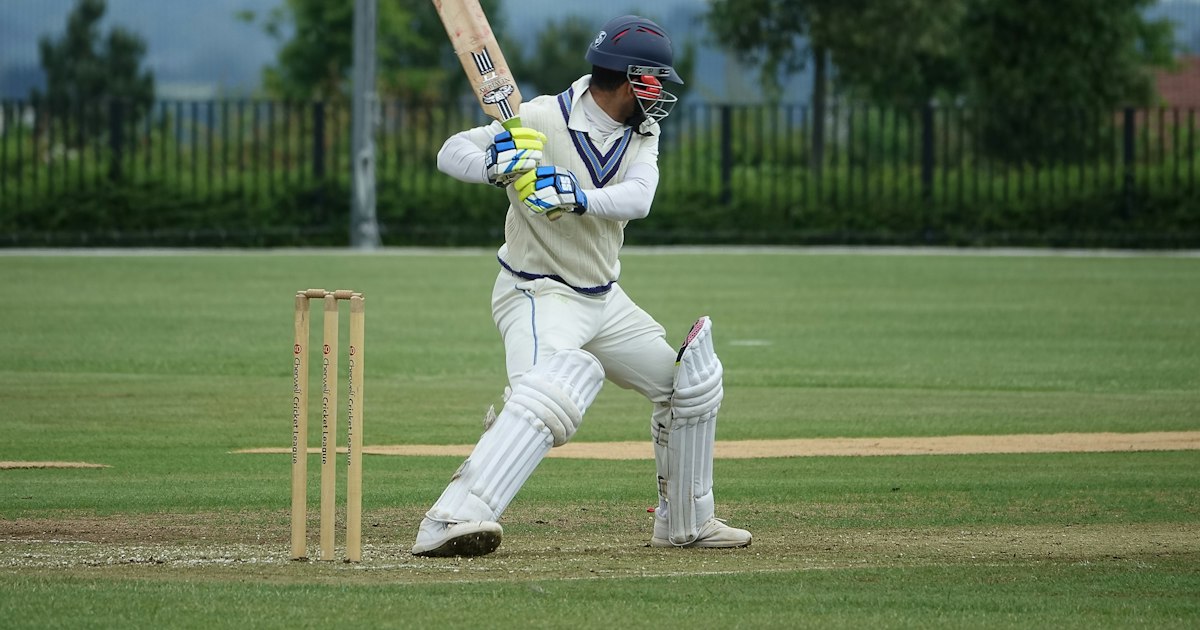
Handle wides, no-balls, byes and run-outs in one tap
Awkward deliveries are where paper scoring slows to a crawl and where mistakes creep in. A good app gives each event its own control so you never have to stop and work out the penalty.
Wides
A wide is a delivery the batter cannot reach with a normal stroke. The MCC Law states that the ball is judged wide “unless it is sufficiently within reach for him/her to be able to hit it with the bat by means of a normal cricket stroke,” as set out in the MCC Law on the wide ball. Tap the wide control and the app adds one penalty run to the total, records it as an extra, and does not count the ball as one of the six in the over. If the batters also run, or the ball beats the keeper for extra wides, you add those in the same action.
No-balls
A no-ball covers several offences, including an illegal delivery action. The MCC Law explains that a ball is fair in respect of the arm only if, once the bowling arm reaches shoulder level, “the elbow joint is not straightened,” detailed in the MCC Law on the no-ball. Marking a no-ball adds the penalty run, keeps the over count from advancing, and applies the free-hit rule where your format uses it. Any runs the batter scores off the no-ball are credited correctly alongside the penalty.
Byes and leg-byes
Byes and leg-byes are runs taken when the ball is not off the bat. Select the bye or leg-bye option, then enter how many the batters ran. The app books the runs to the team total as extras rather than to the striker, so individual batting figures stay honest.
Run-outs and other dismissals
For a run-out, choose the wicket control, pick the dismissal type, and select which batter was out and which end. The app updates the wicket count, closes that batter’s innings, records the new batter, and keeps the not-out batter on the correct end. Catches, bowled, stumped and LBW work the same way: one control, one confirmation, done.
Takeaway: map each odd delivery to its own tap and the scorebook never stalls, no matter how messy the over gets.
Real-time cloud sync keeps everyone on the same score
Once a ball is confirmed, the value of that data multiplies if other people can see it. Real-time cloud sync pushes each update to a shared scorecard the moment you record it.
That matters for several people at once:
- Captains on the field can check the required rate and plan the chase without waiting for the between-overs call.
- Players in the pavilion track how the innings is building and when they might be in.
- Remote viewers, family and fans following from elsewhere see a live scorecard rather than a delayed text update.
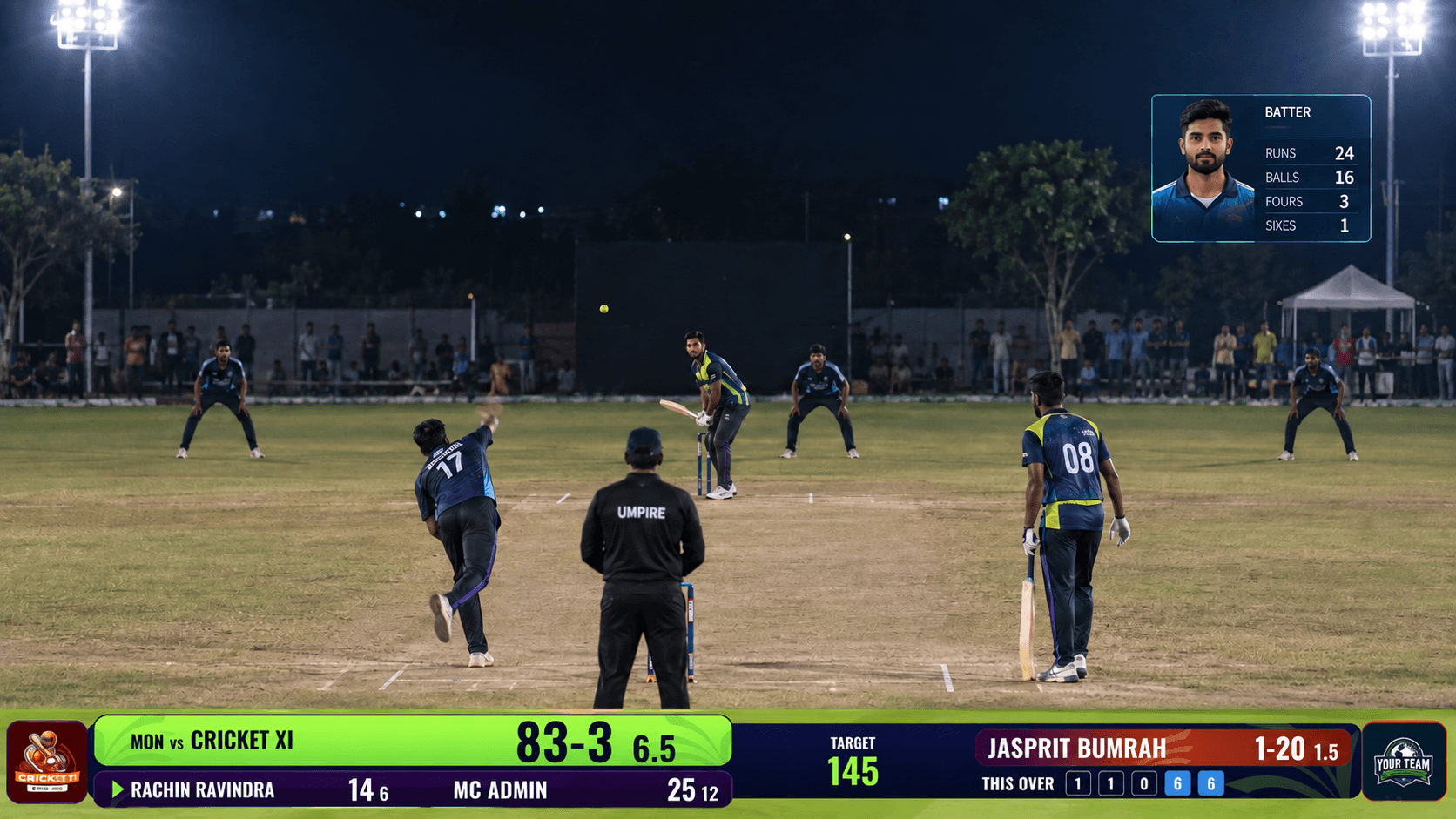
- Streamers and broadcasters can drive on-screen graphics from the same live feed, so the overlay on your OBS or vMix stream matches the book exactly.
Because the sync is instant, there is no second system to keep in step. The score you tap is the score everyone sees. For streamed community matches, one authoritative scorecard for everyone is what makes a broadcast look professional rather than pieced together.
Takeaway: confirm the ball once and captains, players and viewers all get the same live number without any extra work from you.
Offline-first scoring for grounds with no signal
Plenty of cricket is played where mobile coverage is thin: rural grounds, festival pitches, indoor halls and boundary-edge dead zones. Scoring cannot depend on a live connection, so the app has to work fully offline.
An offline-first design stores every ball on your device as you tap it. Setup, dismissals, extras and the full ball-by-ball record all function without any signal, exactly as they would online. The moment the device reconnects, the app syncs the complete match to the cloud automatically, so the shared scorecard and the analytics catch up without you re-entering anything.
A few habits make offline days smooth:
- Load your squads before you leave for the ground, while you still have a connection.
- Keep the device charged or bring a battery pack for long formats.
- Do a quick sync check once you are back in coverage to confirm the match uploaded.
Mycric is built offline-first with automatic cloud sync for this reason, so a lost signal never means a lost scorecard.
Takeaway: treat signal as a bonus, not a requirement, and your scoring holds up at any ground.
Score your first match with confidence: a checklist
You do not need experience to score a clean match with the right tool. Run this checklist and you will be ready for the first ball.
- Before match day: install the app, create both teams, and save every player into their squad while you have signal.
- At the ground: open the match, confirm the format and overs per side, and record the toss result.
- First over: select the two openers and the opening bowler, then start scoring.
- Each legal ball: tap the runs scored, from a dot up to a boundary. Let the app handle the total, the over count and the strike swap.
- Each extra: use the dedicated wide, no-ball, bye or leg-bye control so penalties and over counts stay correct.
- Each wicket: pick the dismissal type, the batter out and the end, then confirm the incoming batter.
- Between overs: glance at the auto-updated score to call it to the umpires, then pick the next bowler.
- After play: check the match has synced, then review the full scorecard and player stats.
Your concrete next step: pick one upcoming fixture, set up both squads in the app tonight, and score that match ball by ball. One full innings is all it takes to trust the workflow, and from there every future match starts with nothing more than the toss.
Frequently asked questions
Is a cricket scoring app more accurate than a paper scorebook? Yes. The app totals runs, extras, overs and wickets for you and flags illegal deliveries, so the arithmetic mistakes and missed balls common on paper are largely removed.
How long does it take to set up a match in a scoring app? With saved squads you can create a match, pick both teams and record the toss in under two minutes, then start the first over right away.
How does the app handle wides and no-balls? Each extra has its own tap. Marking a wide or no-ball adds the correct penalty run, keeps the delivery from counting toward the over and applies any free-hit rules automatically.
Can viewers and captains see the score in real time? Yes. Real-time cloud sync updates the shared scorecard within moments of you confirming each ball, so captains, players and remote viewers follow along live.
Related Guides & Articles
View all articles →
MyCric vs CricHeroes vs CricClubs: Which Cricket Platform Is Right for Your Team?
Compare MyCric, CricHeroes and CricClubs for grassroots cricket scoring, team management, posters, live coverage and overall value.
How to Get TV-Quality Broadcast Overlays for Grassroots Cricket
Learn how grassroots cricket tournaments can use live scoring, OBS or vMix, and professional cricket broadcast overlays to deliver a TV-quality stream.

Cricket Auction Software for Professional Tournaments
Run a smoother, more professional cricket player auction with MyCric—from online registration and live bidding to squad posters, overlays and real-time updates.